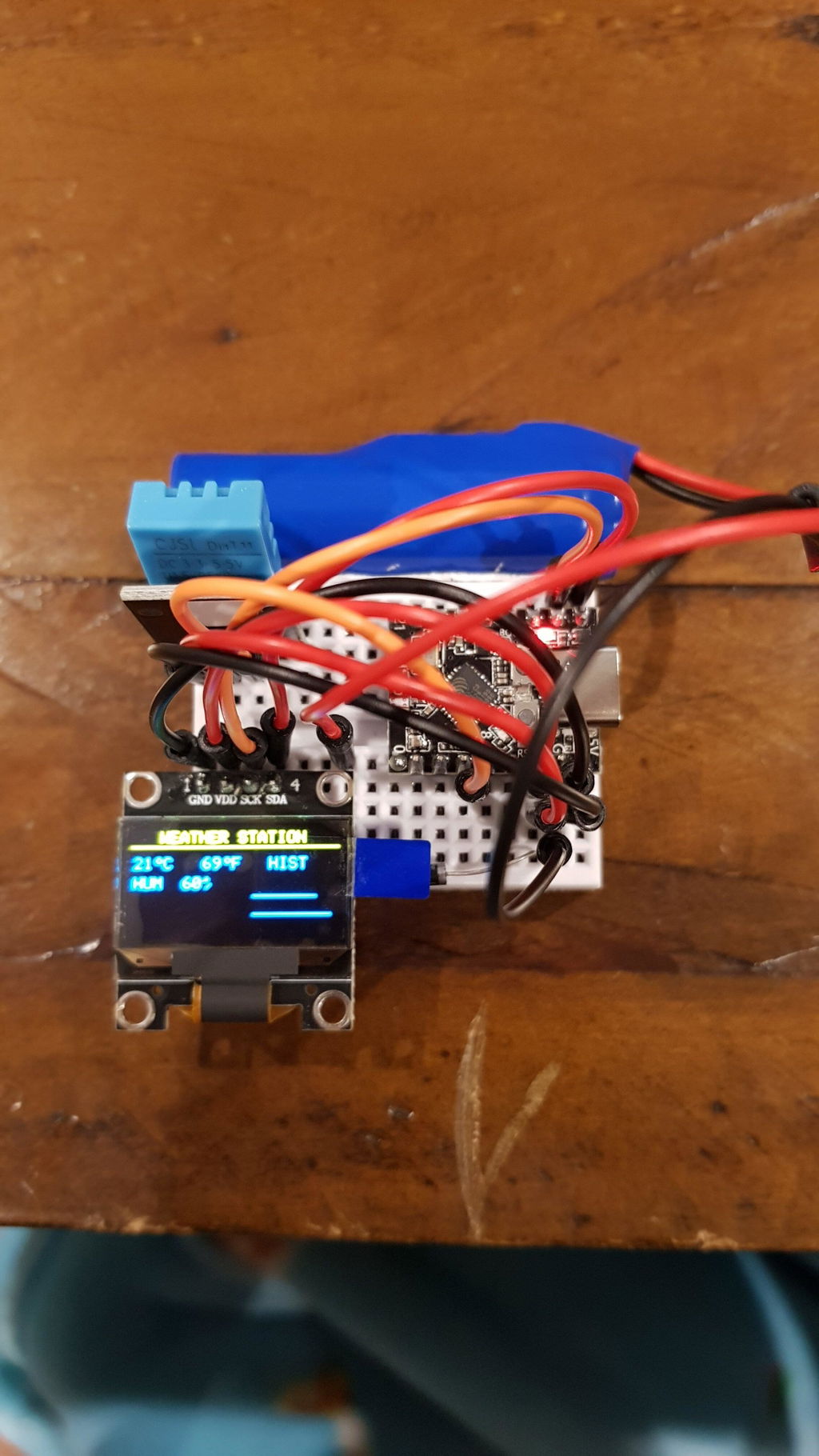


The ESP32-C3 SuperMini is a thumb-sized IoT dev board built on the Espressif ESP32-C3, a 32-bit RISC-V single-core chip running up to 160MHz with 2.4GHz WiFi and Bluetooth 5 (LE). It packs a USB-C port and an onboard PCB antenna onto a board just 22.5 × 18mm. Choose Unsoldered to fit your own headers, or Pre-soldered to drop straight into a breadboard.
- ESP32-C3 32-bit RISC-V single core, up to 160MHz
- 2.4GHz WiFi (802.11 b/g/n) and Bluetooth 5 (LE)
- USB-C with onboard PCB antenna, tiny 22.5 × 18mm
- 4MB flash, 400KB SRAM
- 11× GPIO (all PWM), 4× ADC, I2C, SPI, 2× UART
- Native USB, no driver to install
- Deep sleep around 43µA, great for battery projects
- Works with Arduino IDE, PlatformIO, MicroPython and ESPHome
Specifications
What's in the box
Pre-soldered option ships with headers attached, ready for a breadboard. Unsoldered option includes a loose header strip to fit yourself.
Great for
Setup & flashing
Getting started (Arduino IDE)
- Plug it in with a data cable
Use a USB-C data cable, not a charge-only one. A new COM port should appear within a few seconds.
- Install the ESP32 package
In Arduino IDE Boards Manager, search "esp32" by Espressif and install it.
- Select board and settings
Tools → Board → ESP32C3 Dev Module. Set USB CDC On Boot: Enabled so the Serial Monitor works over USB-C, then pick the port under Tools → Port.
- Upload
Click Upload. When it finishes, tap the RESET button to run your sketch.
If your PC doesn't see the board
A running sketch (deep sleep, heavy USB use, or a crash) can stop the board enumerating, so no COM port shows up. Force it into download mode by hand:
- Hold BOOT
Press and hold the BOOT button (GPIO9) on the board.
- Plug in or reset
With BOOT still held, plug in the USB-C cable - or, if it's already connected, tap RESET once.
- Release BOOT
Let go of BOOT. Windows now recognises it as a serial device and a COM port appears.
- Flash, then reset
Upload your firmware as normal. Tap RESET when it finishes to boot into the new firmware.
Other ways to flash: the board also takes a raw firmware .bin through esptool, the Espressif Flash Download Tool, or a browser flasher like ESP Web Tools / ESPHome (no install needed). The same hold-BOOT step above applies if a flasher can't find the port. For ESPHome or MicroPython, flash the matching firmware first, then connect as usual.
Common questions
Do I need to install any drivers?
No. The ESP32-C3 has native USB, so Windows 10/11, macOS and Linux recognise it without a CH340 or CP2102 driver. If no COM port appears, it's almost always the cable (use a USB-C data cable) or the board needs download mode - hold BOOT, plug in, then release BOOT.
Windows won't recognise the board - how do I fix it?
Put it into download mode: hold the BOOT button, plug in the USB-C cable (or tap RESET if it's already plugged in), then release BOOT. Windows will pick it up as a serial device and a COM port will appear so you can flash. Press RESET after uploading to run your firmware.
The Serial Monitor prints nothing over USB-C
Enable USB CDC On Boot in Tools before uploading (Tools → USB CDC On Boot → Enabled). On the ESP32-C3 the serial output runs over the native USB port, so with that setting off you get an open port but no text.
Is this an actual Arduino board?
No, it's an Espressif ESP32-C3 board. "Arduino compatible" means you program it through the free Arduino IDE (install the ESP32 package and pick "ESP32C3 Dev Module"). It also works with PlatformIO, MicroPython and ESPHome.
What's the difference between soldered and unsoldered?
Pre-soldered has the header pins already attached, ready for a breadboard. Unsoldered ships with a loose header strip so you can solder your own or wire directly, handy for low-profile or custom builds.
Does it need an external antenna?
No. The SuperMini has an onboard PCB antenna and works out of the box. There's no external antenna connector on this version.
Can I run it from a battery?
Yes. Feed regulated 3.3V into the 3V3 pin, or 5V into the 5V pin to use the onboard regulator. Deep sleep draws around 43µA, which suits battery projects.
Good to know: Logic is 3.3V, so use a level shifter for 5V devices. Every board is checked before it ships from our Te Awamutu stock.